Sharing
Send charts across. Put a band on a set in one go.
Charts move between libraries as copies somebody accepts. People are put on setlists, and a group does that for the whole band at once.
Sending charts to another Owner
Anyone who keeps their own library can be sent charts from yours. You choose how much goes at once:
One chart
The song they asked you for, from its own page.
A whole category
Everything filed under it, in one go — the covers set, the wedding material.
Your entire library
For the bandleader moving in, or the second Owner starting from your repertoire.
Every send is an offer, and the other person accepts it before anything lands. Before they do, they see what's in it: how many charts are new to them, how many are updates to something you sent before, and how much room they have left. What they accept is what they were shown.
What arrives is their own copy. From that moment the two charts have nothing to do with each other — your edits don't reach them and theirs don't reach you. Offer the same chart again and it updates the copy your earlier share created, which is how you push a correction across. It can never overwrite a chart they wrote themselves.
Everything that lands is flagged New until they've looked at it, so a library arriving at once doesn't disappear into the middle of theirs.
Copies rather than a sync, deliberately. Two bandleaders each keep the version they actually play.
Groups
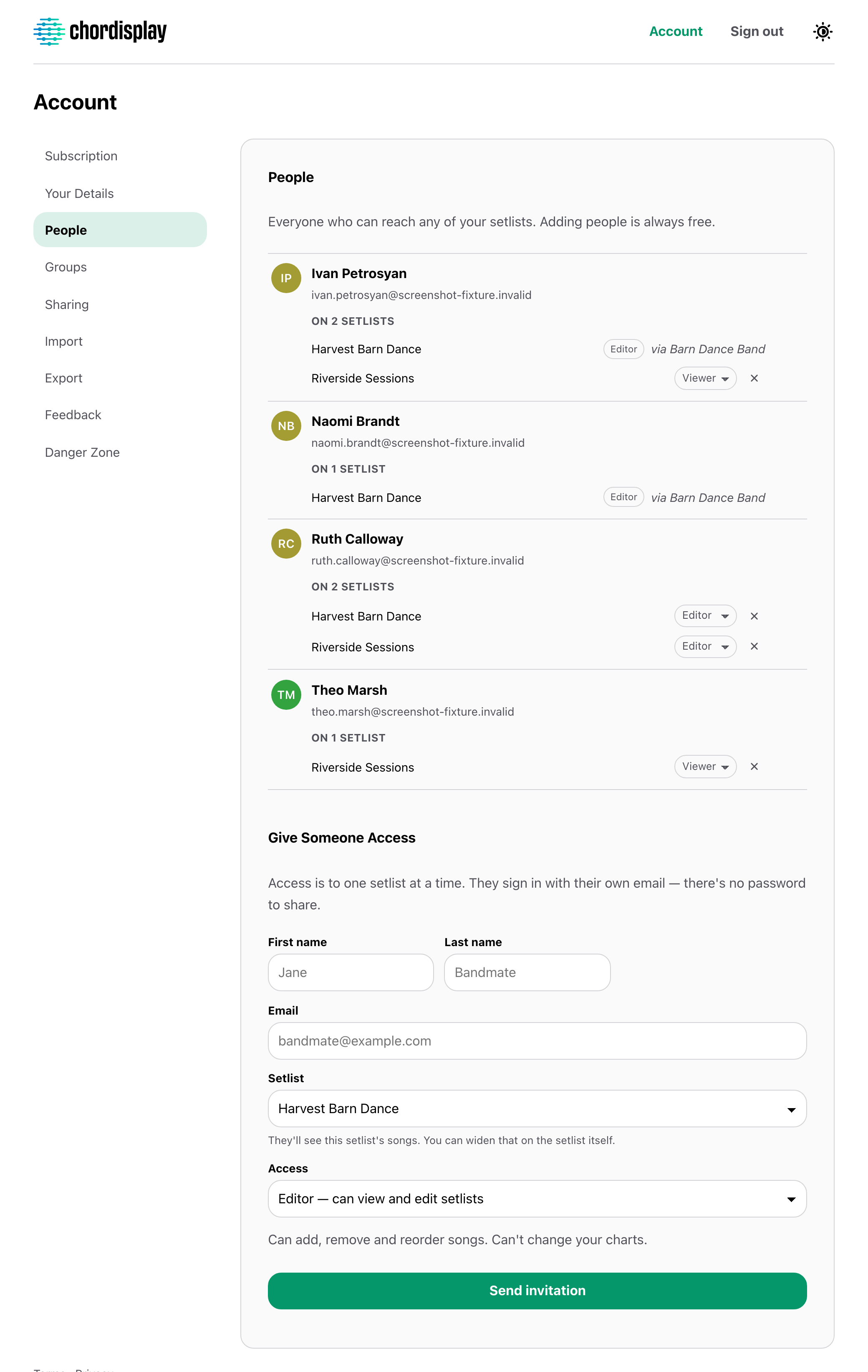
A band is the same five people every week, so name them once. Attaching the group to a setlist puts all of them on it, with the role and the search limit you'd otherwise pick every single time.
Membership is live. Add someone to the group and they get every setlist it's attached to, past and future, on their next tap. Take them out and it all goes with them. Every change says what it just handed over or took back, in numbers, and each group screen says how many setlists it currently grants.
If a setlist was already set to allow less than the group's default, the narrower setting stays and you're told. Detaching a group leaves the setlist's own settings where they are.
What people get, and what they don't
Nobody is added to a library. What you hand out is a setlist: its songs, in order, with whatever's been marked up on them. Not the other four hundred charts, and not your other band's Saturday.
Everyone you add is free, however many there are. Only the person whose library it is pays for anything.
Hand over a set, not your library.
Everyone you play with is free, however many of them there are.